

Shreddage 3.5 Has Arrived
Our renowned Shreddage series of virtual electric guitars and basses just got better. Guided by user feedback, we overhauled the engine and user experience to build a version of Shreddage that is much easier to use and sounds even more realistic than before. Whether you’re new to Shreddage or you’ve followed us since we released our first virtual guitar over a decade ago, we hope you’re ready to rock.
Video Overview
An Improved Virtual Guitar Experience
Incredible, Realistic Sound
Every Shreddage 3.5 guitar features the same detailed recordings you know from previous versions, just with improved functionality and more realistic performance. We have a reputation for sampling instruments in obsessive detail, with a generous number of round robins and a thorough selection of articulations, and the most recent additions to the Shreddage line take this even further.
Streamlined UI
The Shreddage series has always been known for its power and realism, offering incredible control over every nuance of the virtual guitar’s performance. Shreddage 3.5 streamlines the way those controls are presented, stripping the main page down to only the essentials and moving power features to consolidated tabs elsewhere.
This makes it easier for most users to dive right in, while the extended features are still available if you need maximum control.

Improved Fret & String Selection
The algorithms and settings of our Shreddage 3.5 engine work behind the scenes to turn your keyboard performance into a realistic guitar performance. The virtual player’s hand now chooses strings and frets more like a live guitarist, resulting in a smoother performance and more realistic playback, even for the same MIDI data.
Performance Styles
One of the most exciting additions to Shreddage 3.5, the Performance Styles menu will save you time and give you access to a guitarist’s expertise, whether you play the instrument yourself or not. In one click, tell the engine what kind of part you’re writing and it will automatically tailor the settings to suit that style — for example, switching to play lead parts high on the neck.
Keyboard Mode
When inspiration strikes and you just want to lay down parts without worrying about strings or the limitations of a real instrument, this new mode is for you. Keyboard Mode bypasses the limits of a real guitar, so you can play as many notes as you want. It’s a little less realistic, but very playable. If you want to recreate the experience of playing guitar on a hardware workstation keyboard, you can also load the Workstation performance style.
Easier Articulation Control
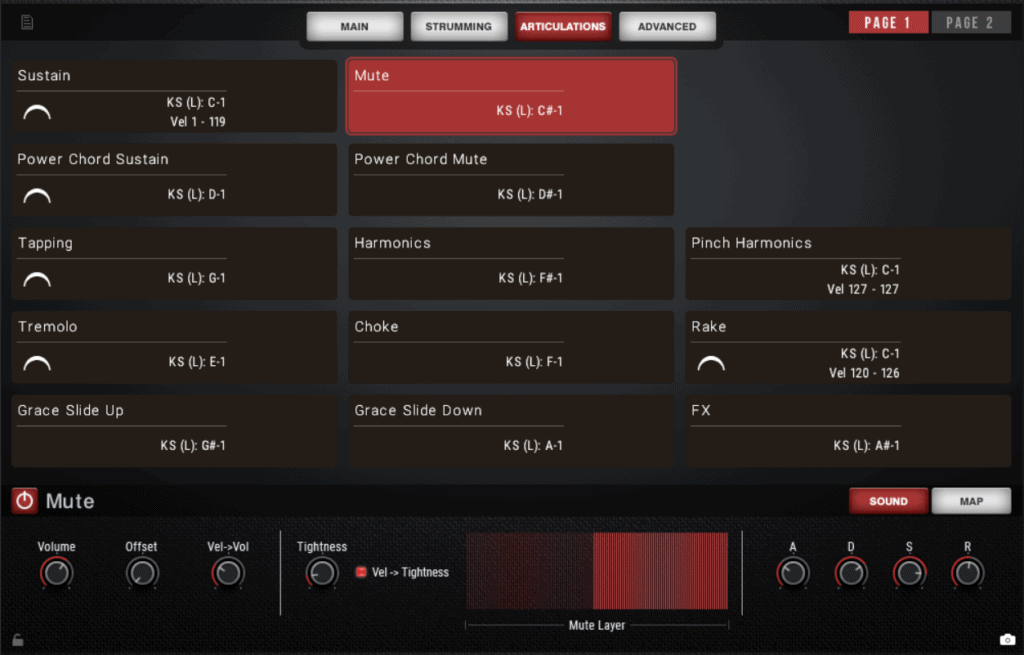
Shreddage 3.5 features a consolidated Articulations tab that gives you all controls related to the sound and mapping of each articulation in a single place. Everyone has their own preferences for how to perform or write for virtual guitar, and with “Total Articulation Control Technology” (TACT) 3, you can create the perfect setup for your DAW.
We’ve also made keyswitches the default for all guitars and basses (although you can change this if you prefer). We tried to keep these keyswitches consistent across the Shreddage series as much as possible, with the caveat that some guitars have slightly different sets of articulations, and their pitch ranges are also different.
If you want to create a velocity-based setup, be sure to watch the Shreddage 3.5 overview video.
Updated Console with New Effects
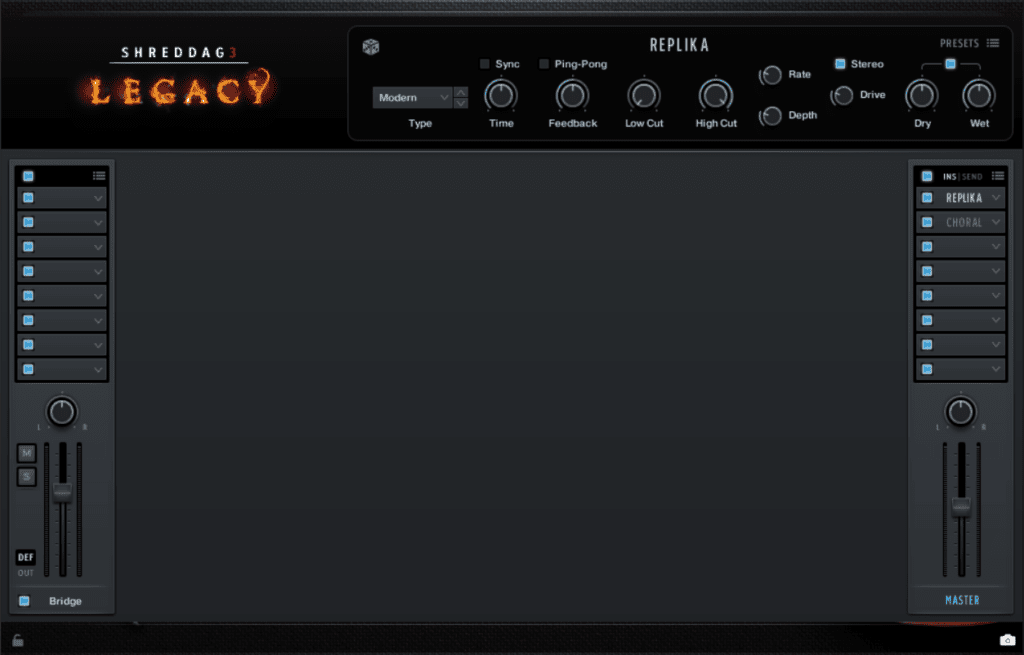
Console is our mixer, modular effects rack, and pedal board, designed to give you full control over your virtual guitar tone. You can now choose from 40 effects modules, including multiple EQs (digital and analog-style), compressors, spatial FX, modulation FX, amps, distortion pedals, reverbs, and a selection of over 30 custom cabinet IRs recorded just for Shreddage.
For Shreddage 3.5, we’ve added new tone-shaping possibilities and effects, including the beautiful Galois reverb and Replika delay that we think sound particularly good.
Relocated, Altered, and Removed Controls
If you’re coming from a previous version of Shreddage 3, and you’re looking for controls that don’t appear where you expect, this section is for you. We’ll explain some notable changes.
“Global Offset” is Now “Responsiveness”
We renamed this control, which affects the sample offset of ALL samples, to better reflect its effect on the sound as opposed to what it does on a technical level.
Controls Moved to the Advanced Page
You’ll find the following controls on the Advanced page now:
- Transpose
- MIDI Guitar Mode
- Invert MIDI Channels
- Anti-Repetition & Chance
- Velocity Table / Curve
- Poly Release Retrigger
- Release on Hand Move
- Release on Chord Change
- Shred Window & Offset
“Mono Lead” Mode is Now “Mono”
Rather than being tucked away on the old (now removed) Performance page, this particularly important control is now available on the main page as a checkbox labeled “Mono”.
ALL Articulation Controls Are in the Same Place
Previously, we had most articulation parameters in the the bottom “TACT” tab, with extra parameters in the top Articulations tab. We have now moved ALL parameters to a single Articulations tab.
For example, if you’re looking to adjust release noise time thresholds, you would now simply click on the desired release articulation in the Articulations tab and click the Sound subtab at the bottom to adjust them.
Min/Max Preferred Fret and Hand Size No Longer Exists
These parameters are now redundant with the revised fret algorithm. To play in a specific fret range, simply move the Hand Position knob.